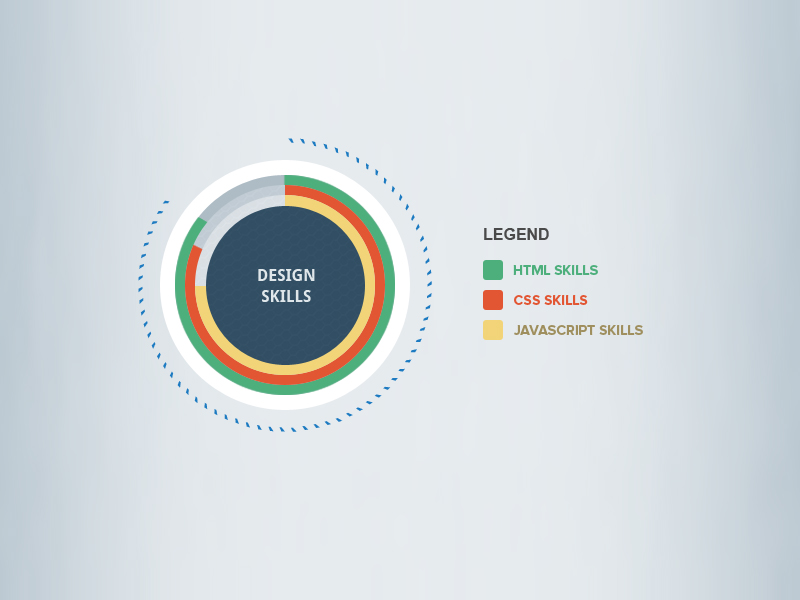
Above is an info. graphic that displace web application design skills.
I found this design on a designer’s portfolio web-site call Theme Designer. I chose to recreate this particular info. graphic because I thought it would work best with my level of coding skills.
http://themedesigner.in/simple-infographics-psd/
Image of my processing sketch
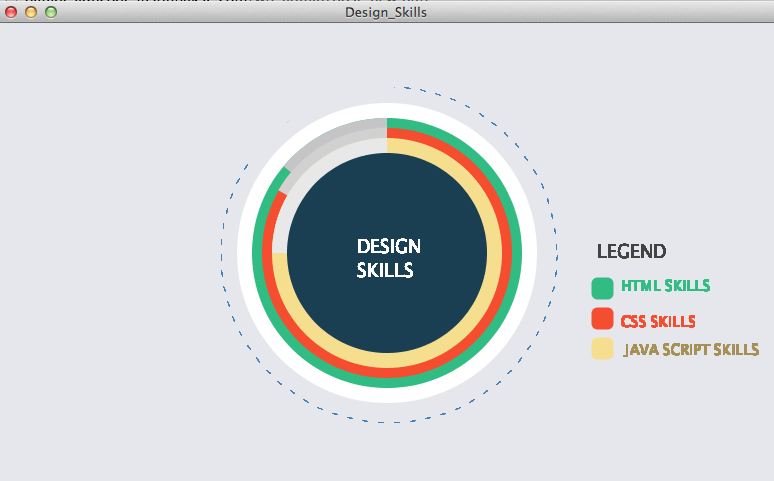
Processing Code
PFont font;
String quote = "DESIGN SKILLS";
String phrase = "LEGEND";
String ht = "HTML SKILLS";
String csheets = "CSS SKILLS";
String js =" JAVA SCRIPT SKILLS";
float radius = 100;
void setup(){
size (780, 460);
background (#E6E6ED); //gray
smooth() ;
noStroke();
fill (255); // white
ellipse (390, 230, 300, 300);
fill (49, 188, 131); // Green HTML Skill
ellipse (390, 230, 270, 270);
noStroke();
fill(#C5C4C6);
arc(390, 230, 270, 270, radians(220), radians(270));
fill (245, 77, 47); //Orange Css Skills
ellipse( 390, 230, 250, 250);
noStroke();
fill(#D1D1D1);
arc(390, 230, 251, 251, radians(210), radians(270));
fill (245,223, 143); // Yellowish Javascript Skills
ellipse (390, 230, 230, 230);
fill(#E8E8E8);
arc(390, 230, 230, 230, radians(180), radians(270));
fill (27, 63, 82); //Dark Blue center
ellipse (390, 230, 200, 200);
strokeWeight(12); //green box html skills
stroke(49, 188, 131);
fill (49, 188, 131);
strokeJoin(ROUND);
rect(600, 260, 10, 10);
strokeWeight(12); // orange box CSS skills
stroke(245, 77, 47);
fill (245, 77, 47);
strokeJoin(ROUND);
rect(600, 290, 10, 10);
strokeWeight(12); // yellowish box JS skills
stroke(245,223, 143);
fill (245,223, 143);
strokeJoin(ROUND);
rect(600, 320, 10, 10);
smooth();
noStroke();
font = loadFont("AppleBraille-18.vlw");
textFont(font);
}
void draw(){
fill(#FFFFFF);
noStroke();
smooth();
text (quote, 360, 215, 125, 125);
fill(#434343);
noStroke();
smooth();
text (phrase, 600, 220, 150, 150);
scale(.8);
fill(49, 188, 131); //green
noStroke();
smooth();
text (ht, 780, 320, 150, 150);
fill(245, 77, 47); //Orange
smooth();
text (csheets, 780, 365, 150, 150);
fill(#A59057); //Yellowish changed for legabilaty
smooth();
text (js, 780, 400, 200, 200);
 stroke(#4481B2);
 strokeWeight(.5);
 noFill();
 translate(490, 290);
 dashedCircle(210, 2, 1);

 smooth();
 stroke(#E6E6ED);
 strokeWeight(12);
arc(-0, -80, 365, 260, radians(200), radians(270));
}

void dashedCircle(float radius, int dashWidth, int dashSpacing) {
 int steps = 200;
 int dashPeriod = dashWidth + dashSpacing;
 boolean lastDashed = false;
 for(int i = 0; i < steps; i++) {
 boolean curDashed = (i % dashPeriod) < dashWidth;
 if(curDashed && !lastDashed) {
 beginShape();
 }
 if(!curDashed && lastDashed) {
 endShape();
 }
 if(curDashed) {
 float theta = map(i, 0, steps, 0, TWO_PI);
 vertex(cos(theta) * radius, sin(theta) * radius);
 }
 lastDashed = curDashed;
 }
 if(lastDashed) {
 endShape();
 }
}
Here is my version of this info. graphic.
Note on issues : First issue I had with this design was the polygon pattern in the center of the original design. I was able to create the pattern however sizing it over the blue ellipse was something I just could accomplish. I did, however include an image of the design and it code for your reference.
Polygon Texture Image
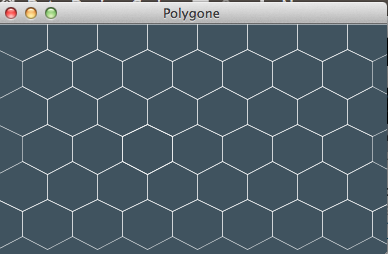
Polygon Texture Code
size (390, 230);
smooth();
background(#40535F);
strokeWeight(1);
stroke (255); //Shape1 row 0
noFill();
scale(.5);
beginShape();
vertex(50, 75);
vertex(0, 50);
vertex(0, 0);
vertex(50, 0);
vertex(100, 0);
vertex(100, 50);
endShape(CLOSE);
Repeated above code into 5 rows of 9 shapes
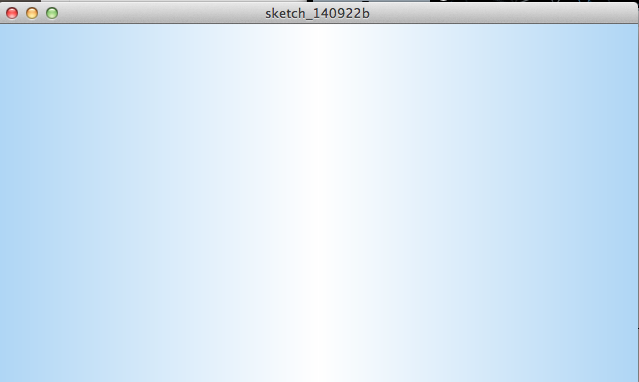
The second issue I had with this graphic was the gradient background. I was able to recreate it but unable to included in the code of the whole design.
Gradient Color Code
// Constants
int Y_AXIS = 1;
int X_AXIS = 2;
color b1, b2, c1, c2;
void setup() {
 size(640, 360);
// Define colors
 b1 = color(#AFD6F5); //light blue
 b2 = color(255); //white
 noLoop();
}
void draw() {
 // Background
 setGradient(0, 0, width/2, height, b1, b2, X_AXIS);
 setGradient(width/2, 0, width/2, height, b2, b1, X_AXIS);
 // Foreground

}
void setGradient(int x, int y, float w, float h, color c1, color c2, int axis ) {
noFill();
if (axis == Y_AXIS) { // Top to bottom gradient
 for (int i = y; i <= y+h; i++) {
 float inter = map(i, y, y+h, 0, 1);
 color c = lerpColor(c1, c2, inter);
 stroke(c);
 line(x, i, x+w, i);
 }
 }
 else if (axis == X_AXIS) { // Left to right gradient
 for (int i = x; i <= x+w; i++) {
 float inter = map(i, x, x+w, 0, 1);
 color c = lerpColor(c1, c2, inter);
 stroke(c);
 line(i, y, i, y+h);
 }
 }
}